
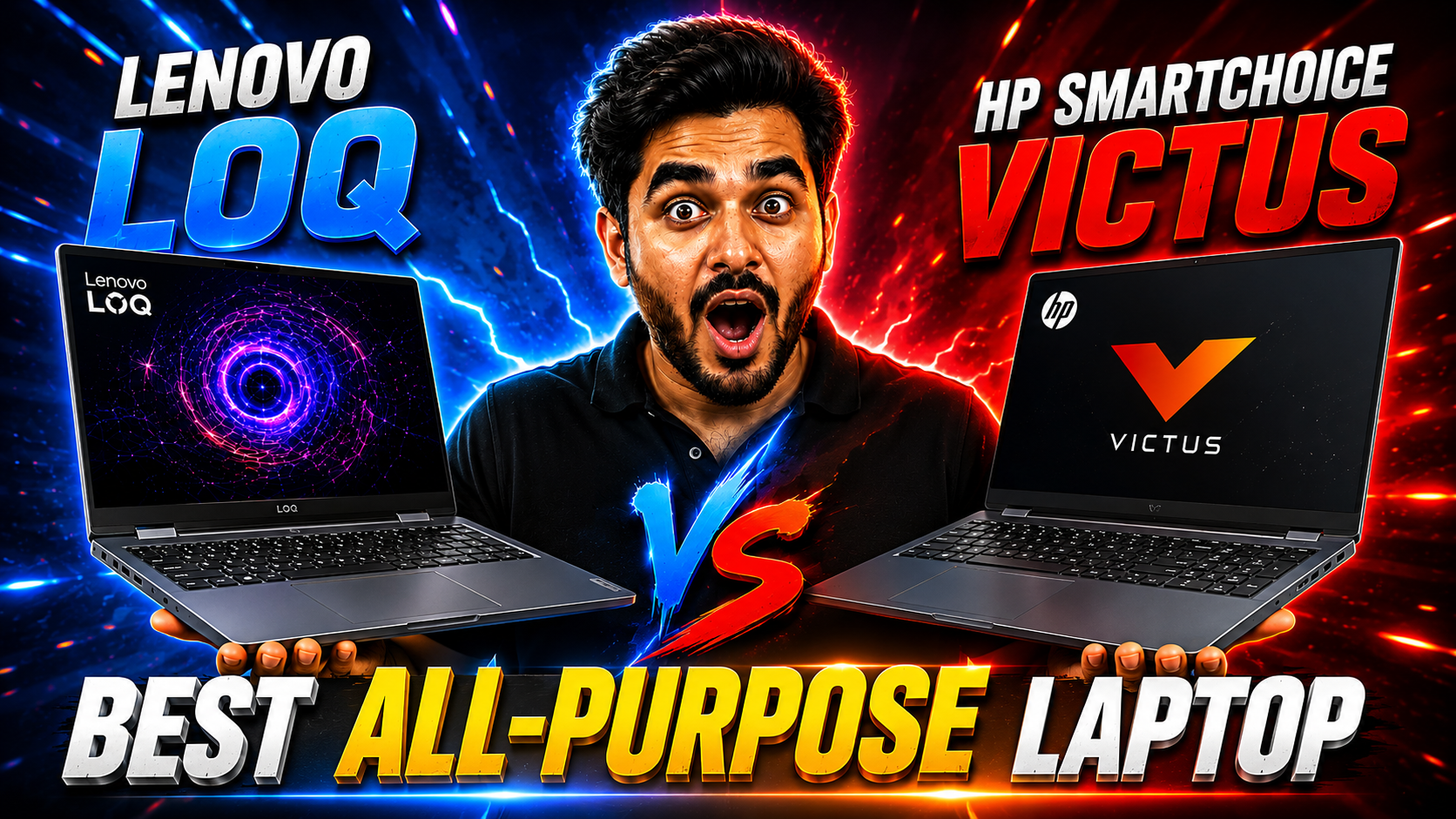
Lenovo LOQ vs HP Smartchoice Victus: Which Gaming Laptop Should You Buy in India 2026?
Read Time:27 Minute, 53 Second
Price Alert 2026: DRAM chip prices have jumped 98% in Q1 2026. Apple already raised MacBook prices in India by Rs 70,000. Windows laptop prices are expected to follow. If you are comparing gaming laptops right now, this is the right window to buy before prices go up across the board.
Two of the most popular gaming laptops under one lakh in India right now are the Lenovo LOQ 15IRH8 and the HP Smartchoice Victus. Both are built around the same RTX 4050 GPU. Both are priced in a similar range. Both target the same buyer, someone who wants serious performance without crossing Rs 80,000 to Rs 85,000.
But they make very different choices under the hood. Different CPUs. Different RAM standards. Different thermal designs. Different warranty packages. And those differences matter a lot depending on how you actually use a laptop.
This is the most detailed comparison you will find on these two machines. By the end of this, you will know exactly which one to buy for your specific use case.

VS

Full Specs Comparison: Lenovo LOQ vs HP Victus
| Spec | Lenovo LOQ 15IRH8 | HP Smartchoice Victus |
|---|---|---|
| Processor | Intel Core i7-13650HX (14 cores, up to 4.9 GHz, 55W TDP) Winner |
Intel Core i7-13620H (10 cores, up to 4.9 GHz, 45W TDP) |
| GPU | NVIDIA RTX 4050 6GB GDDR6 | NVIDIA RTX 4050 6GB GDDR6 Tie |
| RAM | 16GB DDR5 4800MHz Winner | 16GB DDR4 3200MHz |
| Storage | 512GB PCIe NVMe SSD | 512GB PCIe NVMe SSD Tie |
| Display | 15.6″ FHD 144Hz 300 Nits IPS | 15.6″ FHD 144Hz 300 Nits IPS Tie |
| Battery | 60Wh | 52.5Wh |
| Wi-Fi | Wi-Fi 6 (802.11ax) Winner | Wi-Fi 5 (802.11ac) |
| Bluetooth | Bluetooth 5.1 | Bluetooth 5.0 |
| USB-C | USB-C 3.2 Gen 2 with DP 1.4 and PD | USB-C 3.2 Gen 1 |
| HDMI | HDMI 2.1 (4K 120Hz) Winner | HDMI 2.0b (4K 60Hz) |
| Ethernet | RJ-45 Gigabit Ethernet Tie | RJ-45 Gigabit Ethernet |
| Weight | 2.3 Kg | 2.29 Kg Tie |
| OS | Windows 11 Home | Windows 11 Home Tie |
| Bundled Software | MS Office 2024 Tie | MS Office 2024 |
| Warranty | 1 Yr On-site + 1 Yr ADP Winner | 1 Yr On-site |
| Upgrade Slots | 1 free M.2 + 1 free RAM slot Tie | 1 free M.2 + 1 free RAM slot |
Quick Read: The Lenovo LOQ wins on CPU class, RAM standard, HDMI version, Wi-Fi generation, and warranty. The HP Victus ties on GPU, display, and storage. There is no category where the Victus clearly beats the LOQ on paper, but the real-world experience tells a more nuanced story.
CPU Battle: i7-13650HX vs i7-13620H
This is the single biggest difference between these two laptops. Both say “i7” but they are very different chips.
The i7-13650HX in the Lenovo LOQ is an HX-class processor. HX means it is derived from Intel’s desktop architecture, with a higher TDP (55W base), more cores (14 total, 6P + 8E), and an unlocked multiplier for overclocking. It is built for sustained heavy workloads. Under a 30-minute Cinebench run or a long rendering session, the 13650HX does not throttle the way standard H-class chips do.
The i7-13620H in the HP Victus is a standard H-class processor. It has 10 cores (6P + 4E), a 45W base TDP, and performs excellently for everyday tasks and moderate workloads. For gaming, the difference between these two chips is smaller than you might think, because most games are GPU-limited, not CPU-limited at 1080p. But for CPU-intensive creative work, the 13650HX is noticeably faster.
In Cinebench R23 multi-core benchmarks, the i7-13650HX scores around 18,000 to 20,000 points. The i7-13620H scores around 12,000 to 14,000. That is roughly a 35 to 40% difference in multi-threaded CPU performance. For video rendering, code compilation, running local AI models, and data processing, that gap translates to real time savings.
CPU Winner: Lenovo LOQ by a clear margin. If your workload is CPU-bound (video editing, 3D rendering, Python, local AI models) the HX chip in the LOQ is significantly faster. For pure gaming, the difference is much smaller.
GPU and Display: Where They Are Equal
Both laptops use the NVIDIA GeForce RTX 4050 6GB GDDR6. This is the Ada Lovelace architecture GPU with DLSS 3 support, hardware ray tracing, and dedicated Tensor cores for AI acceleration. Neither laptop has an advantage here on paper.
There is one practical consideration though. Laptop GPUs of the same model can ship at different power limits (called TGP. Total Graphics Power). If one manufacturer allows the RTX 4050 to run at a higher wattage, it will deliver better gaming performance. The Lenovo LOQ allows the RTX 4050 to run at up to 95W TGP. The HP Victus typically allows the RTX 4050 to run at around 60 to 80W TGP depending on thermal conditions. Higher TGP means more gaming performance. This is a meaningful real-world difference even though both say “RTX 4050 6GB” on the box.
For the display, both ships with a 15.6 inch FHD IPS 144Hz panel at 300 Nits. The colour coverage and response times are similar. There is no meaningful display difference in everyday use. Both are good gaming displays for 1080p content.
GPU Winner: Lenovo LOQ slightly, due to higher TGP allowance (95W vs ~70W for HP Victus), the LOQ gets more performance out of the same RTX 4050 chip. Display is a true tie between both machines.
Gaming Performance Comparison
Gaming performance on both laptops is strong for 1080p. Here is how they compare across common gaming scenarios.
| Game / Scenario | Lenovo LOQ (Estimated FPS) | HP Victus (Estimated FPS) |
|---|---|---|
| Valorant (High, 1080p) | 200 to 250 FPS + | 160 to 200 FPS |
| CS2 (High, 1080p) | 180 to 220 FPS + | 150 to 180 FPS |
| GTA V (Ultra, 1080p) | 95 to 120 FPS | 80 to 100 FPS |
| Cyberpunk 2077 (High, 1080p) | 55 to 70 FPS | 45 to 60 FPS |
| Cyberpunk 2077 (High + DLSS Quality) | 90 to 110 FPS + | 75 to 95 FPS |
| Forza Horizon 5 (High, 1080p) | 90 to 115 FPS | 80 to 100 FPS |
| Elden Ring (High, 1080p) | Locked 60 FPS (game cap) | Locked 60 FPS (game cap) |
The Lenovo LOQ consistently delivers 15 to 20% higher framerates thanks to the higher TGP GPU limit and the stronger CPU. For competitive gaming at 144Hz, that gap is meaningful. For casual gaming at 60 to 100 FPS, both machines feel smooth and playable.
DLSS 3 is available on both machines since they share the same GPU. In supported games like Cyberpunk 2077, enabling DLSS Quality mode at 1080p gives a significant FPS uplift on both machines without a visible quality tradeoff.
AI and Professional Workloads
Both laptops use Ada Lovelace RTX 4050 with the same Tensor core architecture. So for GPU-based AI workloads like Stable Diffusion or CUDA-accelerated inference, the base GPU capability is similar. The LOQ pulls ahead because its higher TGP gives the GPU more power headroom during sustained AI inference runs.
The CPU gap becomes very significant here. Running local LLMs through tools like Ollama or LM Studio is GPU-memory-bound for inference, but the CPU handles tokenisation, pre-processing, and multi-modal operations. The i7-13650HX handles CPU-side AI tasks faster than the i7-13620H. In video editing on DaVinci Resolve or Premiere Pro, the 14-core i7-13650HX renders timelines and applies effects considerably faster than the 10-core i7-13620H.
The DDR5 RAM in the LOQ also plays a role here. DDR5 at 4800MHz has significantly higher memory bandwidth than DDR4 at 3200MHz. For GPU-adjacent workloads that move data between CPU and GPU memory frequently, higher bandwidth translates to faster results. Data scientists using PyTorch or TensorFlow, machine learning engineers running training loops, and developers compiling large codebases will all feel the DDR5 advantage.
AI and Professional Work Winner: Lenovo LOQ, the HX CPU, higher GPU TGP, and DDR5 RAM all combine to make it a meaningfully faster machine for non-gaming intensive workloads.
Battery Life and Build Quality
Battery Life
The Lenovo LOQ ships with a 60Wh battery and the HP Victus with a 52.5Wh battery. Neither machine is built for all-day unplugged use. Both are best used at a desk or with a charger nearby for heavy work.
In light use (browsing, docs, video), the LOQ delivers around 3 to 4 hours. The HP Victus, despite the smaller battery, can match this range because the i7-13620H (standard H-class) draws less power in idle and light workloads than the i7-13650HX (HX-class). HX chips tend to consume more power even at idle due to their higher base TDP. So while the LOQ has the bigger battery, the Victus holds its own in everyday light-use battery life.
Under gaming, both machines drain in under 90 minutes on battery. Gaming is always best done plugged in on both these laptops.
Build Quality
Both machines use plastic chassis. The HP Victus has a slightly more premium feel at the lid and base panel, with a narrower bezel design and the HP logo giving it a cleaner visual. The Lenovo LOQ is thicker at 21.9mm but benefits from better thermal airflow due to the additional depth.
The LOQ’s keyboard has good key travel and a full Numpad. The HP Victus keyboard is also solid, and some users prefer the Victus key feel for typing. Both have decent trackpads. Port variety is better on the LOQ. HDMI 2.1 vs HDMI 2.0b and USB-C with DP 1.4 vs USB-C without DP support on the Victus base model.
The 1 Year ADP warranty included with the LOQ is a meaningful real-world advantage. Accidental damage coverage means if you drop the laptop or spill something, you are covered without paying extra. The HP Victus ships with standard 1-year on-site warranty only.
Pros and Cons: Lenovo LOQ vs HP Victus
Lenovo LOQ 15IRH8
PROS
- i7-13650HX is 35 to 40% faster in multi-threaded workloads than the Victus CPU
- DDR5 4800MHz RAM with higher memory bandwidth
- RTX 4050 runs at higher TGP (95W) for better sustained gaming
- HDMI 2.1 supports 4K 120Hz external display output
- USB-C with DisplayPort 1.4 and Power Delivery
- Wi-Fi 6 for faster wireless speeds
- 1 Year ADP (accidental damage protection) included
- Bigger 60Wh battery
CONS
- HX chip draws more power, slightly shorter everyday battery life vs Victus
- Thicker chassis at 21.9mm
- Louder fan noise under heavy load
HP Smartchoice Victus
PROS
- Slightly better everyday battery efficiency (lower TDP chip)
- Cleaner, more minimal design aesthetic
- HP reliability reputation and service network across India
- Same RTX 4050 6GB GPU for gaming and AI
- Same great 144Hz 300 Nits IPS display
- MS Office 2024 bundled
- May be available at a slightly lower price depending on current offers
CONS
- i7-13620H is a standard H chip, significantly slower in multi-threaded tasks vs LOQ
- DDR4 3200MHz RAM, lower bandwidth than DDR5
- HDMI 2.0b limits external display output to 4K 60Hz
- Wi-Fi 5 only, no Wi-Fi 6
- USB-C without DisplayPort support on base model
- No ADP warranty, standard 1-year on-site only
- RTX 4050 runs at lower TGP (approx 70W), less gaming performance vs LOQ
Round-by-Round Category Winners
1
Raw CPU Performance
🏆 Lenovo LOQ
The i7-13650HX has 4 more cores and a higher sustained TDP than the i7-13620H. Multi-threaded performance is 35 to 40% higher. For any workload that uses all cores (rendering, compiling, AI) the LOQ is significantly faster.
2
Gaming Performance
🏆 Lenovo LOQ
Same GPU on paper, but the LOQ runs it at 95W TGP vs ~70W on the Victus. This produces 15 to 20% better gaming framerates in GPU-heavy titles. For competitive gaming at 144Hz, the LOQ gives more headroom.
3
Display Quality
🤝 Tie
Both use a 15.6 inch FHD 144Hz 300 Nits IPS panel. The colour coverage and response times are similar. There is no meaningful difference in the daily display experience between these two laptops.
4
Battery Life (Everyday Use)
🤝 Tie (Near)
The LOQ has a bigger 60Wh battery but the HX chip draws more idle power. The Victus has a 52.5Wh battery but the 13620H is more power-efficient. Both deliver 3 to 4 hours of light use. Too close to call a clear winner.
5
RAM and Memory Bandwidth
🏆 Lenovo LOQ
DDR5 4800MHz vs DDR4 3200MHz. The LOQ has significantly higher memory bandwidth, which benefits GPU-adjacent tasks, AI inference, and any memory-intensive workflow. Same 16GB capacity, but the standard is a generation ahead.
6
Port Selection
🏆 Lenovo LOQ
HDMI 2.1 vs 2.0b, USB-C with DP 1.4 vs without, Wi-Fi 6 vs Wi-Fi 5. The LOQ is clearly better equipped for connectivity. The Gigabit Ethernet port is present on both, which is a plus for both over slim laptops that skip it.
7
Warranty and After-Sales
🏆 Lenovo LOQ
The LOQ includes 1 Year On-site Warranty plus 1 Year Accidental Damage Protection at no extra cost. The Victus ships with 1 Year On-site only. ADP is a meaningful safety net on a Rs 70,000 to Rs 80,000 machine. HP’s service network in India is strong, but the LOQ simply offers more coverage out of the box.
8
Design and Aesthetics
🏆 HP Victus
The HP Victus has a cleaner, more minimal laptop design. Narrower bezels, a slimmer profile, and a design that does not scream “gaming laptop.” If you use the machine professionally and want it to look sleek on a conference table or co-working space, the Victus has the edge.
Our Picks for Every Type of Buyer
Best For
Gamers who want max FPS
Higher TGP GPU means 15 to 20% more frames. Lenovo LOQ is the gaming pick between the two.
Best For
AI tool users
HX CPU and DDR5 RAM make local LLMs and Stable Diffusion faster. Lenovo LOQ wins for AI workflows.
Best For
Video editors and creators
The 14-core HX processor renders timelines significantly faster. Lenovo LOQ is the right pick for DaVinci Resolve and Premiere Pro users.
Best For
CS and data science students
More CPU cores, DDR5 bandwidth, and CUDA GPU acceleration. Lenovo LOQ handles heavy academic workloads better.
Best For
Everyday professionals
Cleaner design, slightly better everyday battery, and HP’s trusted brand presence. HP Victus is the professional daily driver between the two.
Best For
Budget-conscious buyers
If the HP Victus is available at a meaningfully lower price and gaming or AI is not the priority, the Victus offers good value at its price.
Best For
Casual gaming on a 144Hz screen
Both deliver excellent casual gaming at 1080p 144Hz. Either machine works if you play Valorant, GTA, or FIFA on the side.
Best For
Best overall value under Rs 80,000
More specs, better warranty, stronger connectivity. The Lenovo LOQ is the superior value proposition when comparing all specs together.
Overall Score Comparison
Lenovo
LOQ 15IRH8
CPU Performance9.2 / 10
GPU Performance8.8 / 10
Display8.0 / 10
Battery Life6.5 / 10
Build and Design7.5 / 10
Connectivity9.0 / 10
Value for Money9.3 / 10
Overall8.8 / 10
HP
Smartchoice Victus
CPU Performance7.2 / 10
GPU Performance7.8 / 10
Display8.0 / 10
Battery Life7.0 / 10
Build and Design8.2 / 10
Connectivity7.2 / 10
Value for Money7.8 / 10
Overall7.6 / 10
Final Verdict
Winner: Lenovo LOQ 15IRH8, for most buyers
If you are choosing between the Lenovo LOQ and the HP Smartchoice Victus and performance is your priority, the Lenovo LOQ is the clear winner. The HX-class i7-13650HX CPU is genuinely faster for multi-threaded workloads. The RTX 4050 runs at higher power limits for better gaming FPS. The DDR5 RAM standard is a generation ahead. HDMI 2.1 and Wi-Fi 6 are future-proof connectivity upgrades. And the 1 Year ADP warranty is a meaningful bonus that the Victus does not match.
The HP Smartchoice Victus makes sense if the price is significantly lower than the LOQ at the time you are buying, or if design aesthetics and HP’s after-sales network in your city are priorities. For professionals who want a machine that looks clean in a corporate environment and do light gaming on the side, the Victus is a respectable choice.
But head-to-head on specs, performance, and value, the Lenovo LOQ wins in 7 of 8 categories. It is the stronger machine for the money.
Lenovo. Our Top Pick
LOQ 15IRH8 Gaming Laptop
i7-13650HX (HX, 14 cores) | RTX 4050 6GB (95W)
16GB DDR5 | 512GB NVMe | 144Hz 300 Nits
Wi-Fi 6 | HDMI 2.1 | 1 Yr ADP | MS Office 2024
Check Price on Amazon India
Affiliate link | Free delivery on eligible orders
16GB DDR5 | 512GB NVMe | 144Hz 300 Nits
Wi-Fi 6 | HDMI 2.1 | 1 Yr ADP | MS Office 2024
HP. Alternative Pick
Smartchoice Victus Gaming Laptop
i7-13620H (H, 10 cores) | RTX 4050 6GB
16GB DDR4 | 512GB NVMe | 144Hz 300 Nits
Wi-Fi 5 | HDMI 2.0b | 1 Yr On-site | MS Office 2024
Check Price on Amazon India
Affiliate link | Free delivery on eligible orders
16GB DDR4 | 512GB NVMe | 144Hz 300 Nits
Wi-Fi 5 | HDMI 2.0b | 1 Yr On-site | MS Office 2024
Which one are you leaning towards, the Lenovo LOQ for raw performance or the HP Victus for the design? Drop your use case in the comments and I will help you decide.
Frequently Asked Questions
Is Lenovo LOQ better than HP Victus for gaming in India?
Yes, the Lenovo LOQ is better than the HP Smartchoice Victus for gaming. While both use the NVIDIA RTX 4050 6GB GPU, the LOQ allows it to run at a higher power limit (95W TGP) compared to the Victus (~70W). This produces 15 to 20% higher framerates in GPU-heavy games. The LOQ also has the stronger i7-13650HX CPU, which helps in CPU-dependent game scenarios and background tasks during gaming sessions.
Is the HP Victus good value under 1 lakh in India?
The HP Smartchoice Victus offers solid value for casual gaming and everyday professional use under Rs 80,000. It delivers a good 144Hz gaming experience with the RTX 4050, a clean design, and Microsoft Office 2024 bundled. It is a good laptop for buyers who value HP’s design and brand reliability. However, when directly compared to the Lenovo LOQ at a similar price, the LOQ delivers more performance per rupee.
Which is better for AI tools. Lenovo LOQ or HP Victus?
The Lenovo LOQ is the better choice for AI tools. The i7-13650HX CPU is 35 to 40% faster in multi-threaded workloads, which benefits tools like Ollama, LM Studio, and ComfyUI that use CPU resources alongside the GPU. The DDR5 RAM in the LOQ also offers higher memory bandwidth than the DDR4 in the Victus, which accelerates GPU-adjacent AI inference tasks. Both use the same RTX 4050 with CUDA and Tensor cores, but the LOQ’s system as a whole handles AI workloads faster.
What is the price difference between Lenovo LOQ and HP Smartchoice Victus in India?
Both laptops are typically priced between Rs 70,000 and Rs 85,000 on Amazon India, depending on ongoing sales and stock availability. The price gap between the two varies, but both fall in a similar range. Always check current prices using the Amazon links on this page before making a decision, as prices can change with sale events and availability. The extra cost for the LOQ is almost always justified by the better CPU, DDR5 RAM, and included ADP warranty.
Can I upgrade RAM and storage on both the Lenovo LOQ and HP Victus?
Yes, both laptops have upgradeable RAM and storage. The Lenovo LOQ has two RAM slots (one occupied with 8GB, one free) supporting up to 32GB DDR5 total, and two M.2 storage slots (one with the 512GB SSD, one free). The HP Victus has a similar configuration with two RAM slots and one additional M.2 slot. The RAM upgrade process requires opening the bottom panel, which voids the standard warranty on most configurations but is a common and straightforward upgrade.


Happy
0 %

Sad
0 %

Excited
0 %

Sleepy
0 %

Angry
0 %

Surprise
0 %
 0
0
 0
0

