
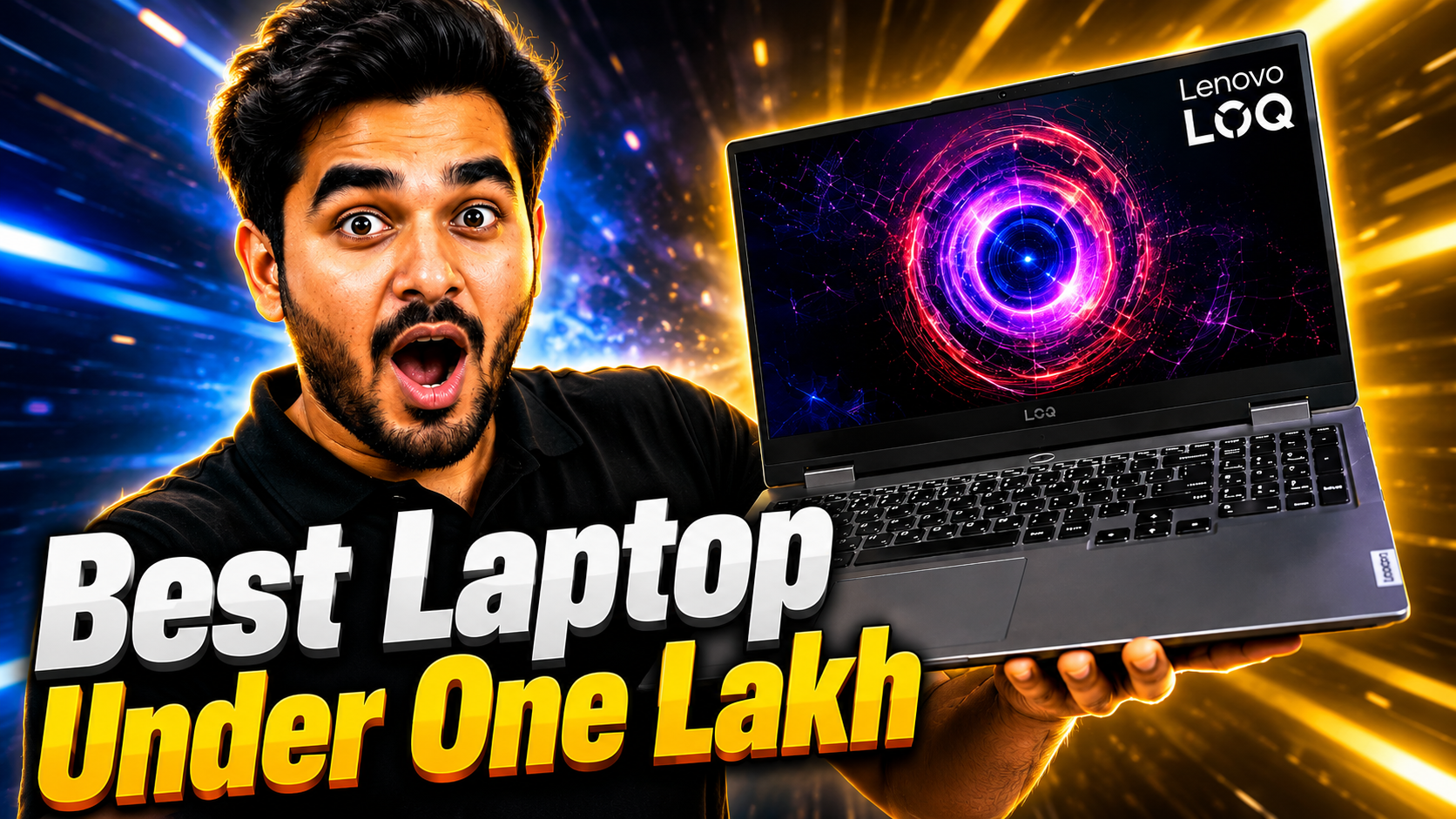
Best Laptop Under 1 Lakh in India 2026 | Lenovo LOQ i7-13650HX RTX 4050 Review
Read Time:28 Minute, 11 Second
Price Alert: DRAM chip prices have surged 98% in Q1 2026. Laptop prices across brands are set to rise significantly in the coming months. If you are planning to buy a laptop under one lakh, right now is the best window you have in 2026. Below is the most detailed breakdown of the best laptop under 1 lakh in India this year.
You have a budget of one lakh rupees. You want a machine that does not just browse and play YouTube. You want something that can handle gaming, AI tools, video editing, and heavy professional work without breaking a sweat.
The problem is that the market is full of options. Every brand is throwing a laptop at this price range. And most reviews just list specs without telling you what they actually mean for your daily use.
I have spent time going deep into laptops available under one lakh on Amazon India. And one machine stands out clearly from the rest at this price point. The Lenovo LOQ 15IRH8 with Intel Core i7-13650HX and NVIDIA RTX 4050 6GB is the best laptop you can buy under one lakh in India right now.
Here is why I think that and everything you need to know before you hit buy.

Lenovo LOQ 15IRH8 Gaming Laptop
Intel Core i7-13650HX (13th Gen) | RTX 4050 6GB
16GB RAM | 512GB SSD | 15.6″ FHD 144Hz 300 Nits
Windows 11 | 1 Year ADP | MS Office 2024 | 2.3 Kg
Check Price on Amazon
amazon.in | Affiliate link | Free delivery available
16GB RAM | 512GB SSD | 15.6″ FHD 144Hz 300 Nits
Windows 11 | 1 Year ADP | MS Office 2024 | 2.3 Kg
Here is what this review covers:
- Full specs breakdown of the Lenovo LOQ i7 RTX 4050
- Display, build quality, and thermal performance
- Gaming performance and AI tool capability with RTX 4050
- Battery life, real-world use, and value for money
- Who should buy it and who should look elsewhere
- How it compares to other top laptops under 1 lakh in India
Why Lenovo LOQ is the Best Laptop Under 1 Lakh in India 2026
The laptop market under one lakh is competitive. You have options from ASUS, HP, Dell, Acer, and MSI all competing for your money. But the Lenovo LOQ 15IRH8 does something most of them do not, it packs an Intel Core i7-13650HX and an NVIDIA RTX 4050 6GB into a machine that costs significantly less than what you would expect to pay for this spec sheet.
The i7-13650HX is a 13th Gen Intel H-class processor. That matters a lot. Most laptops at this price sneak in an H-series i5 or, worse, a U-series i7 that throttles badly under load. The HX suffix means this is a desktop-class processor variant. It has 14 cores (6 Performance cores and 8 Efficiency cores) and a base clock of 2.6 GHz that boosts up to 4.9 GHz. You are getting real power here.
Combine that with the RTX 4050 6GB GPU and you have a machine that can genuinely handle triple-A gaming at 1080p high settings, run AI image generation tools locally, handle 4K video editing timelines, and process machine learning workloads. This is not a gaming laptop that only gamers should buy. It is a power tool for anyone doing serious work in 2026.
The fact that it ships with 16GB RAM, a 512GB SSD, Windows 11, Microsoft Office 2024, and a 1 Year Accidental Damage Protection plan at this price makes it one of the best value propositions in the Indian laptop market this year.
Key Takeaway: The Lenovo LOQ 15IRH8 is one of the few laptops under 1 lakh in India that ships with an HX-class i7 processor and a proper RTX 4050 GPU. That combination at this price is hard to match.
Now let us go through every part of this machine in detail so you know exactly what you are getting.
Full Specs Breakdown of the Lenovo LOQ 15IRH8
Lenovo LOQ 15IRH8 in Storm Grey finish

Keyboard, RGB backlight, and I/O ports
| Component | Specification |
|---|---|
| Processor | Intel Core i7-13650HX (13th Gen, 14 Cores, up to 4.9 GHz, 55W TDP) |
| GPU | NVIDIA GeForce RTX 4050 6GB GDDR6 (up to 95W TGP) |
| RAM | 16GB DDR5 4800MHz (2x8GB, 2 slots, upgradeable to 32GB) |
| Storage | 512GB PCIe NVMe SSD (1 M.2 slot used, 1 free for upgrade) |
| Display | 15.6 inch FHD (1920×1080) IPS, 144Hz, 300 Nits, 45% NTSC |
| Operating System | Windows 11 Home (64-bit) |
| Battery | 60Wh, 4-cell |
| Charger | 170W slim-tip AC adapter |
| Wi-Fi | Wi-Fi 6 (802.11ax) |
| Bluetooth | Bluetooth 5.1 |
| Ports | USB-A 3.2 Gen 1 x2, USB-C 3.2 Gen 2 (DP 1.4, PD), HDMI 2.1, RJ-45 Ethernet, 3.5mm Combo Jack, SD Card Reader |
| Audio | 2x 2W speakers, Nahimic Audio |
| Webcam | 720p HD with Privacy Shutter |
| Keyboard | Backlit chiclet keyboard with Numpad |
| Build | Plastic chassis, Storm Grey |
| Weight | 2.3 Kg |
| Dimensions | 359.0 x 256.0 x 21.9 mm |
| Model Number | 83DV01A5IN |
| Bundled Software | Microsoft Office 2024 (Home and Student) |
| Warranty | 1 Year On-site Warranty + 1 Year Accidental Damage Protection (ADP) |
A few things in this spec sheet deserve special attention. The DDR5 RAM is a generation ahead of what most competing laptops ship with at this price. DDR5 at 4800MHz gives noticeably better memory bandwidth for tasks like video editing and AI inference. The two free upgrade slots (one M.2 and one RAM slot) mean you can grow this machine over time without buying a new laptop.
The HDMI 2.1 port is also worth calling out. Most budget gaming laptops ship HDMI 2.0. HDMI 2.1 supports 4K at 120Hz output, which means if you ever connect this to an external 4K monitor or TV, you are not bottlenecked on the output side.
Key Takeaway: The Lenovo LOQ ships with DDR5 RAM, PCIe NVMe SSD, HDMI 2.1, and Wi-Fi 6. The spec sheet is stacked for its price bracket and the upgrade paths are clean.
Specs tell you what is inside. But how a machine actually behaves day-to-day depends on three things: the display, the thermal design, and the GPU headroom. Let us cover each.
Display and Build Quality
The 144Hz FHD Display
The Lenovo LOQ ships with a 15.6 inch FHD IPS panel running at 144Hz with 300 Nits peak brightness. For a gaming laptop at this price, 144Hz is the sweet spot. You will notice the smoothness instantly compared to the 60Hz displays on standard office laptops.
The IPS panel gives you decent viewing angles. Colours are reasonably accurate for everyday use, content consumption, and light creative work. The 45% NTSC colour gamut is not wide enough for professional colour grading, but for gaming, YouTube, streaming, and general productivity, it delivers a comfortable visual experience.
300 Nits brightness is acceptable for indoor use. In a bright room near a window, you might need to crank the brightness up. Outdoors use is limited, as it is with most gaming laptops. For a home setup or office desk, it works fine.
One feature that stands out is the 3ms response time. In fast-paced games, lower response times reduce ghosting and make motion look sharper. At 144Hz with 3ms response, fast-action games and competitive titles feel noticeably better than on budget 60Hz panels.
Build Quality and Design
The LOQ comes in Storm Grey, which is a matte finish that resists fingerprints reasonably well. The chassis is primarily plastic, which keeps the weight at a manageable 2.3 Kg. For a 15.6 inch gaming laptop with this level of specs, 2.3 Kg is on the lighter side.
The lid has some flex when you push on it, which is expected at this price. The base is more rigid. The hinge opens smoothly and stays in position. There is no one-hand opening, but the hinge is not so stiff that it becomes annoying either.
The keyboard has a full Numpad layout with white backlit keys. The key travel feels decent for long typing sessions. The trackpad is large and responsive with good palm rejection. The backlit keyboard is not RGB per-key, but it lights up cleanly and makes night usage comfortable.
Port selection is one of the LOQ’s strongest points. You get Ethernet directly on the laptop, which most slim laptops eliminate. For gaming and stable connectivity, that wired Ethernet port matters. The USB-C port supports DisplayPort 1.4 and Power Delivery, giving you flexibility to connect monitors and charge from a compatible USB-C adapter.
Key Takeaway: The 144Hz 300 Nits IPS panel with 3ms response time is the right display for this class of laptop. The build is solid plastic with good port variety including Ethernet and USB-C with DP support.
Display and build set the stage. But the real reason to consider this laptop is what happens under the hood during intensive workloads. That brings us to performance.
Gaming and AI Performance with RTX 4050
CPU Performance: i7-13650HX Explained
The Intel Core i7-13650HX is a 14-core, 20-thread processor built on Intel’s 10nm Enhanced SuperFin process. The HX designation means it is an unlocked, desktop-derived chip rather than a mobile-first design. This is important because HX-class processors maintain performance under sustained loads far better than standard H-series chips that throttle aggressively after a few minutes.
In practical terms, you will feel this difference in rendering timelines in Premiere Pro or DaVinci Resolve, compiling code, running multiple virtual machines, or doing any CPU-intensive task for extended periods. The 6 Performance cores hit 4.9 GHz under boost, which is genuinely fast for single-threaded tasks like gaming and browser workloads.
GPU Performance: What RTX 4050 6GB Actually Delivers
The NVIDIA GeForce RTX 4050 6GB is an Ada Lovelace architecture GPU. Ada Lovelace introduced several meaningful improvements over the previous Ampere generation. DLSS 3 support, improved ray tracing cores, and dedicated AI Tensor cores are all part of this chip.
For gaming, the RTX 4050 at 1080p handles titles at high to ultra settings comfortably. Games like GTA V, Valorant, CS2, and Forza Horizon at 1080p all run well above 60 FPS at high settings, often touching the 144Hz ceiling on less demanding titles. Heavier games like Cyberpunk 2077 or Alan Wake 2 at ultra settings will require medium settings to hit playable framerates, but at high settings, they run smoothly.
DLSS 3 support is a significant addition. With DLSS 3 enabled in supported games, the GPU generates additional frames using AI, boosting effective FPS significantly without degrading visual quality noticeably. This makes the RTX 4050 punch above its raw hardware tier in DLSS-supported games.
AI Workloads and the RTX 4050
This is where the RTX 4050 becomes genuinely exciting for 2026 buyers. The Tensor cores in Ada Lovelace architecture are purpose-built for AI inference workloads. If you run local AI tools like Stable Diffusion, ComfyUI, LM Studio, or Ollama to run local language models, the RTX 4050 6GB handles these tasks with real performance.
Stable Diffusion image generation that takes 3 to 4 minutes on a CPU completes in under 20 seconds on the RTX 4050. Running a 7B parameter language model locally through LM Studio or Ollama is perfectly usable on this GPU. For anyone who uses AI tools seriously and wants to run them locally without cloud API costs, the RTX 4050 is the minimum GPU that makes that experience fluid.
6GB of VRAM is the boundary for comfortable AI tool usage. Most open-source models run cleanly within 6GB. As models get larger, some may need quantisation, but for the next 2 to 3 years of local AI tool usage, 6GB is a solid baseline.
RAM and Storage Performance
The 16GB DDR5 4800MHz is adequate for gaming, content creation, and AI tool usage. If you plan to run multiple heavy applications simultaneously or work with very large video files, upgrading to 32GB later is straightforward since one slot is free. The DDR5 standard gives better memory bandwidth than DDR4, which directly benefits GPU-adjacent tasks.
The 512GB PCIe NVMe SSD delivers fast read and write speeds compared to SATA drives. Windows boot times are under 15 seconds, and application load times are quick. 512GB does feel limited if you plan to install many games (modern games average 60 to 100GB each). Adding a second M.2 SSD later is an option since the second slot is free.
Ready to buy? The Lenovo LOQ i7 RTX 4050 is available on Amazon India right now.
Check Current Price on Amazon
Affiliate link. Price may vary. Check Amazon for the latest price.
Performance on paper looks strong. But performance under real gaming sessions depends on how well the laptop manages heat. That is a critical factor for a machine of this class.
Battery Life and Thermal Management
Thermal Performance
Gaming laptops live and die by their thermal management. A laptop that throttles the CPU and GPU under sustained load will deliver worse real-world performance than its specs suggest. The Lenovo LOQ addresses this with a dual-fan dual-heat pipe cooling system and dedicated exhaust vents on the rear and sides.
The LOQ has a performance mode that ramps up fan speeds for sustained gaming sessions. Under heavy gaming loads, the fans are audible at around 45 to 48 dB. This is expected for a machine doing serious work. The CPU and GPU temperatures settle into the 80 to 88 degree Celsius range under sustained load, which is within safe operating limits for these components.
The base of the laptop stays relatively cool even during extended sessions. The hot air exits primarily from the rear vents, which is the right design choice. The Legion ThermalSense technology monitors temperature across multiple points and adjusts fan curves automatically, which helps maintain consistent performance over long sessions.
Lenovo also includes the Lenovo Vantage software where you can switch between Quiet, Balanced, and Performance thermal profiles depending on what you are doing. For productivity work, Balanced keeps the machine silent. For gaming, switch to Performance mode for full cooling headroom.
Battery Life
The 60Wh battery is modest for the size of this machine. On a gaming laptop with a 13th Gen HX processor and a dedicated GPU, battery life is always a compromise. In practice, you get 3 to 4 hours on office work and web browsing with the GPU switched to the iGPU. Under gaming load, the battery drains in under 90 minutes, which is why this laptop is best used plugged in during gaming sessions.
The included 170W slim-tip charger is compact by gaming laptop charger standards. It does not match the footprint of older chunky gaming laptop bricks, which makes it more travel-friendly. The USB-C port also supports charging, so if you are doing light work, you can use a 65W USB-C charger and keep the big charger at home.
Key Takeaway: Battery life is 3 to 4 hours for light use. For gaming, keep it plugged in. The dual-fan cooling system keeps temperatures stable and the thermal profiles give you control over noise and performance balance.
Now that you have the full picture on performance and thermals, here is the honest summary of the strengths and limitations of this laptop.
Pros and Cons of the Lenovo LOQ i7 RTX 4050
Pros
- i7-13650HX is an HX-class desktop-derived chip, genuinely fast under sustained loads
- RTX 4050 6GB with DLSS 3 and Tensor cores for AI workloads
- DDR5 4800MHz RAM is a generation ahead of most competitors at this price
- 144Hz 300 Nits IPS display with 3ms response time
- HDMI 2.1 output, supports 4K 120Hz external monitor
- Dedicated Ethernet port, rare in this class
- USB-C with DisplayPort 1.4 and Power Delivery
- Two storage slots (1 free M.2) and two RAM slots (1 free) for easy upgrades
- 1 Year ADP (Accidental Damage Protection) included, rare at this price
- Microsoft Office 2024 bundled, saves Rs 5,000 to Rs 7,000 separately
- Wi-Fi 6 for faster wireless performance
- Lenovo Vantage software for thermal profile switching
- Privacy shutter on webcam
Cons
- 60Wh battery is modest, not a daily commute machine without a charger
- 45% NTSC colour gamut is not wide enough for professional colour work
- Plastic chassis has some lid flex
- 720p webcam is below average for video calls in 2026
- Fan noise is noticeable during gaming, not a quiet machine at full load
- 512GB SSD fills up quickly if you install multiple games
- No Thunderbolt 4 port
- Charger is 170W, still bulky compared to ultrabook chargers
The cons are real but manageable. Battery is the biggest everyday limitation. The colour gamut matters only if you are a professional colourist or graphic designer. For everyone else, the pros massively outweigh the cons at this price point.
How Lenovo LOQ Compares to Other Top Laptops Under 1 Lakh in India
Let us put the Lenovo LOQ head-to-head with the other strong contenders in this price bracket.
| Laptop | CPU | GPU | RAM | Display | Price (Approx) |
|---|---|---|---|---|---|
| Lenovo LOQ 15IRH8 Best Pick | i7-13650HX | RTX 4050 6GB | 16GB DDR5 | 15.6″ 144Hz | Rs 70,000 to Rs 80,000 |
| ASUS TUF Gaming A15 | Ryzen 7 7435HS | RTX 4060 4GB | 16GB DDR5 | 15.6″ 144Hz | Rs 75,000 to Rs 85,000 |
| HP Victus 15 (i7 RTX 4060) | i7-13700H | RTX 4060 8GB | 16GB DDR4 | 15.6″ 144Hz | Rs 85,000 to Rs 95,000 |
| Acer Nitro V 15 | i5-13420H | RTX 4050 6GB | 16GB DDR5 | 15.6″ 144Hz | Rs 65,000 to Rs 75,000 |
| MSI Thin GF63 | i7-12650H | RTX 4050 6GB | 8GB DDR4 | 15.6″ 144Hz | Rs 60,000 to Rs 70,000 |
Lenovo LOQ vs ASUS TUF Gaming A15
The TUF A15 is a tough competitor. The RTX 4060 in the TUF has more raw GPU power than the RTX 4050 in the LOQ, but the TUF typically ships with only 4GB of VRAM on the RTX 4060 variant in this price range, which is a significant limitation for AI workloads and higher-resolution gaming. The LOQ’s RTX 4050 with 6GB VRAM has more memory headroom. The LOQ also has the HX-class CPU advantage over the TUF’s Ryzen 7435HS. For AI tool users, the LOQ wins. For pure rasterised gaming at 1080p, the TUF RTX 4060 4GB is competitive but the 4GB VRAM ceiling becomes a problem in newer titles.
Lenovo LOQ vs HP Victus i7 RTX 4060
The HP Victus with i7 and RTX 4060 8GB is the natural step up from the LOQ. The RTX 4060 8GB delivers meaningfully better gaming performance than the RTX 4050. But it costs Rs 10,000 to Rs 20,000 more, which takes it above Rs 85,000 on Amazon. If your budget allows, the Victus RTX 4060 8GB is the better gaming machine. If you want the best value under Rs 80,000, the LOQ i7 RTX 4050 is the pick.
Lenovo LOQ vs Acer Nitro V 15
The Nitro V is cheaper and has the same RTX 4050 6GB. But it pairs that GPU with an i5-13420H, which is a significantly weaker CPU than the i7-13650HX. For gaming alone, the difference is smaller. But for content creation, AI workloads, or any CPU-bound work, the i7-13650HX in the LOQ is the clear winner. The LOQ also ships with DDR5 and Microsoft Office included, making it better value even at a slightly higher price.
Key Takeaway: In its price range, the Lenovo LOQ stands out by combining an HX-class i7 CPU with RTX 4050 6GB at a price where most competitors settle for weaker CPUs or cut VRAM. It is the best-balanced option under Rs 80,000 in India right now.
Who Should Buy the Lenovo LOQ and Who Should Not
This Laptop is Perfect For
- Gamers on a budget who want 1080p 144Hz gaming performance without spending over Rs 80,000
- AI tool users who want to run Stable Diffusion, local LLMs via Ollama or LM Studio, ComfyUI, or similar tools without cloud API dependency
- Video editors and content creators who need a fast CPU and GPU for rendering timelines in Premiere Pro or DaVinci Resolve
- CS and IT students who want a machine that handles coursework now and professional workloads in 3 to 4 years
- Working professionals who do occasional gaming on weekends and heavy office work during the week
- Python developers and data science learners who benefit from GPU acceleration in tools like TensorFlow, PyTorch, and CUDA-accelerated notebooks
- 3D artists and CAD users doing non-real-time rendering work in Blender, SketchUp, or SolidWorks
This Laptop is NOT the Right Pick If
- You need all-day battery away from a power outlet and do not want to carry a charger
- You do professional colour grading or print design work that requires a wide-gamut display
- You need 4K 120Hz gaming at very high settings and can stretch budget to the HP Victus RTX 4060 8GB
- You value ultra-thin, featherlight design over performance, this is 2.3 Kg and 21.9mm thick
- You primarily need it for basic office work and no gaming, a Rs 40,000 mid-range laptop handles that just fine
Get the Lenovo LOQ 15IRH8 on Amazon India
Check Price on Amazon IndiaIncludes 1 Year ADP, MS Office 2024, and free delivery on most orders.
Final Verdict
Overall Rating: 8.8 / 10. Highly Recommended
The Lenovo LOQ 15IRH8 (83DV01A5IN) is the best laptop under 1 lakh you can buy in India in 2026 if performance is your priority. The combination of an HX-class i7 CPU, RTX 4050 6GB with DLSS 3 and Tensor cores, DDR5 RAM, and a clean 144Hz 300 Nits display at this price is genuinely difficult to match.
The battery life is the honest limitation. This is not a machine for 8-hour coffee shop sessions without a charger. It is a machine for a desk setup, a gaming den, or a home workstation. Used in that context, it delivers exceptional value and will remain relevant for the next 3 to 5 years.
The included 1 Year ADP warranty is a meaningful bonus. Accidental damage coverage at no extra cost on a Rs 70,000 to Rs 80,000 machine is a sign that Lenovo is confident in this product and wants to make the purchase decision easier for buyers.
With laptop prices set to rise across all brands due to DRAM shortages, buying the Lenovo LOQ now means locking in today’s pricing before the wave hits. At the current price, this is one of the sharpest buys in the Indian laptop market.
Lenovo LOQ 15IRH8 (83DV01A5IN)
i7-13650HX | RTX 4050 6GB | 16GB DDR5
15.6″ 144Hz 300 Nits | 512GB SSD | Win 11
MS Office 2024 | 1 Yr ADP | 2.3 Kg | Grey
Buy on Amazon India
amazon.in | Affiliate link | Free delivery available
15.6″ 144Hz 300 Nits | 512GB SSD | Win 11
MS Office 2024 | 1 Yr ADP | 2.3 Kg | Grey
Are you going for the Lenovo LOQ or still looking at alternatives? Drop your budget and use case in the comments and I will help you decide.
Frequently Asked Questions
Is the Lenovo LOQ 15IRH8 good for gaming in India?
Yes. The Lenovo LOQ 15IRH8 handles 1080p gaming at high to ultra settings in most popular titles. Games like Valorant, CS2, GTA V, and Forza Horizon run well above 60 FPS and often near the 144Hz ceiling. Heavier titles like Cyberpunk 2077 play smoothly at medium to high settings. With DLSS 3 support, framerates get a significant AI-powered boost in supported games, making the RTX 4050 punch above its tier.
What is the price of Lenovo LOQ in India in 2026?
The Lenovo LOQ 15IRH8 (83DV01A5IN) with i7-13650HX and RTX 4050 6GB is available on Amazon India at a price range of approximately Rs 70,000 to Rs 80,000. Prices may vary based on availability and ongoing offers. You can check the current price using the link below. With DRAM prices rising in 2026, it is worth buying sooner rather than waiting for a discount that may not come.
Can the Lenovo LOQ run AI tools like Stable Diffusion or local LLMs?
Yes, and this is one of its most compelling use cases in 2026. The RTX 4050 6GB has dedicated Tensor cores from NVIDIA’s Ada Lovelace architecture, which accelerate AI inference significantly. Stable Diffusion image generation runs smoothly at standard resolutions. Running 7B parameter language models locally through tools like Ollama or LM Studio is comfortable within the 6GB VRAM limit. This makes the LOQ a genuinely AI-ready machine for anyone who uses local AI tools regularly.
Is 16GB RAM enough for gaming and content creation on the Lenovo LOQ?
16GB DDR5 is sufficient for gaming, video editing, and most professional workflows. For gaming alone, 16GB is more than enough for all current titles. For content creation involving heavy Premiere Pro or DaVinci Resolve timelines with multiple 4K tracks, you may notice limits with 16GB. The good news is the LOQ has a free RAM slot, so upgrading to 32GB later is straightforward and affordable.
How does the Lenovo LOQ compare to ASUS TUF Gaming at the same price?
Both are strong machines in the same price bracket. The ASUS TUF Gaming A15 at a similar price typically offers an RTX 4060 with 4GB VRAM paired with a Ryzen 7 CPU. The Lenovo LOQ offers an RTX 4050 with 6GB VRAM paired with the HX-class i7-13650HX. For AI workloads and tasks that rely on VRAM capacity, the LOQ’s 6GB RTX 4050 has an advantage. For pure gaming performance in rasterisation, the RTX 4060 4GB on TUF is competitive but the 4GB VRAM limit causes issues in newer, more demanding titles.


2025 batch hiring accenture accenture hiring accenture hiring 2024 accenture hiring 2024 batch AI AI jobs India AI news AI tools AI Training AI training jobs amazon amazon jobs amazon work from home amazon work from home job amazon work from home jobs analyst artificial intelligence Automation bangalore barclays career career development chatgpt coding cognizant cognizant campus hiring cognizant hiring cognizant jobs cognizant jobs for freshers cognizant off campus hiring deloitte deloitte hiring freshers deloitte hiring process digital marketing earn money online India engineers Freelance Jobs India Fresher Hiring fresher jobs fresher jobs 2026 freshers freshers hiring freshers hiring for 2025 batch freshers jobs genpact genpact hiring genpact hiring process genpact interview genpact jobs genpact jobs for freshers genpact process associate google Hiring Hyderabad infosys infosys hiring intern interns Internships Jobs jobs for freshers laptops latest hiring machine learning mass hiring 2025 batch off campus drive off campus hiring openai oracle Process associate programming prompt engineering remote jobs Remote Jobs India remote work software Developer Software engineer software engineering software engineer jobs TCS tech layoffs technology tech support wipro wipro hiring wipro hiring 2025 wipro hiring freshers wipro hiring freshers 2024 work from home work from home 2026 Work From Home India work from home India 2026 work from home job work from home jobs work from home jobs 2023 work from home jobs 2024 work from home jobs for women work from home jobs india work from home jobs no experience


Happy
0 %

Sad
0 %

Excited
0 %

Sleepy
0 %

Angry
0 %

Surprise
0 %
 0
0
 0
0

